Guide
Convert MSG to PDF on Windows with MSG to PDF Converter, Outlook or Online
Updated SoftOrbits
Quick answer:
- A folder of saved .msg files: convert MSG to PDF for the whole batch in one run on your PC with MSG to PDF Converter
- One email with classic Outlook installed (the Office app with a File menu): open the .msg, print it and pick Microsoft Print to PDF
- One file, no Outlook and nothing confidential inside: a free online MSG to PDF converter works in the browser
In this guide
- Convert a folder of .msg files to PDF with MSG to PDF Converter
- Print one email to PDF from classic Outlook
- Convert an MSG file without Outlook
- Combine multiple emails into one PDF
What you need
- MSG to PDF Converter for a folder of .msg files (the trial converts 3 emails a day)
- Or classic Outlook with the Microsoft Print to PDF printer, for one email at a time
- A Windows 10 or Windows 11 PC
- About 10 minutes for a first test run
How to batch convert MSG files to PDF with MSG to PDF Converter
To convert MSG files to PDF, the program takes a folder of saved .msg files and creates one PDF per email or one combined PDF for the whole queue. A short trial run lets you check how your own mail looks as PDF.
A converter is useful for jobs larger than a handful of messages. Common sources include HR or legal exports and project mailboxes dragged into a shared drive for handover as PDFs. Video guides comparing the options say dedicated desktop tools handle larger batches of files than a print dialog or upload form.
MSG to PDF Converter reads each .msg file with its own engine, without asking Outlook to open it. Add a folder, choose the PDF format or HTML, and pick an output mode. You can keep or switch off inline images in the message body, which helps when a newsletter would otherwise run to several pages. Some archives contain files with a .msg extension that are really plain RFC 822 emails; the converter detects many and converts them like regular messages.
Printing each email from Outlook
- Open one .msg and send it to the PDF printer
- Type a file name for every message
- Repeat for every file in the folder
A folder in MSG to PDF Converter
- Add the whole folder once
- Pick one PDF per email or one combined PDF
- Run the queue and check the output folder
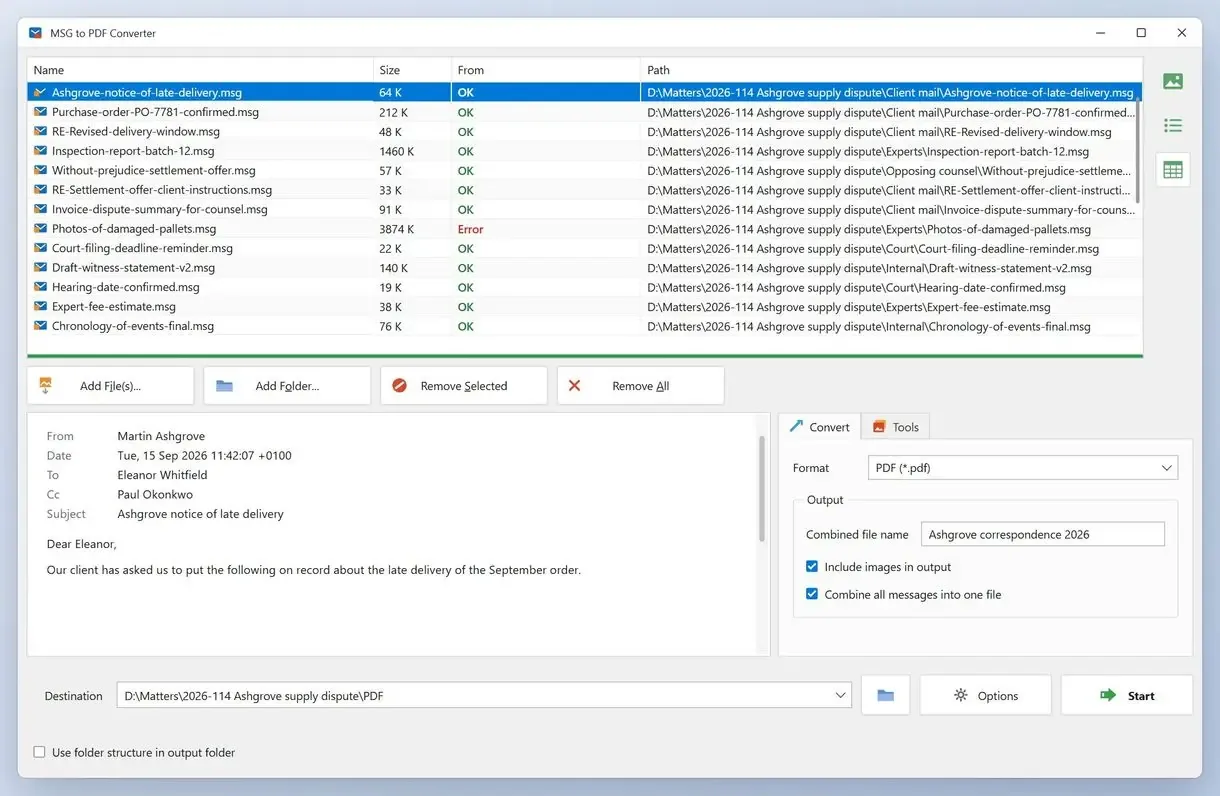
How to convert MSG files to PDF in MSG to PDF Converter
Install MSG to PDF Converter from the Microsoft Store
Run the trial on three typical messages to check the layout and file names.
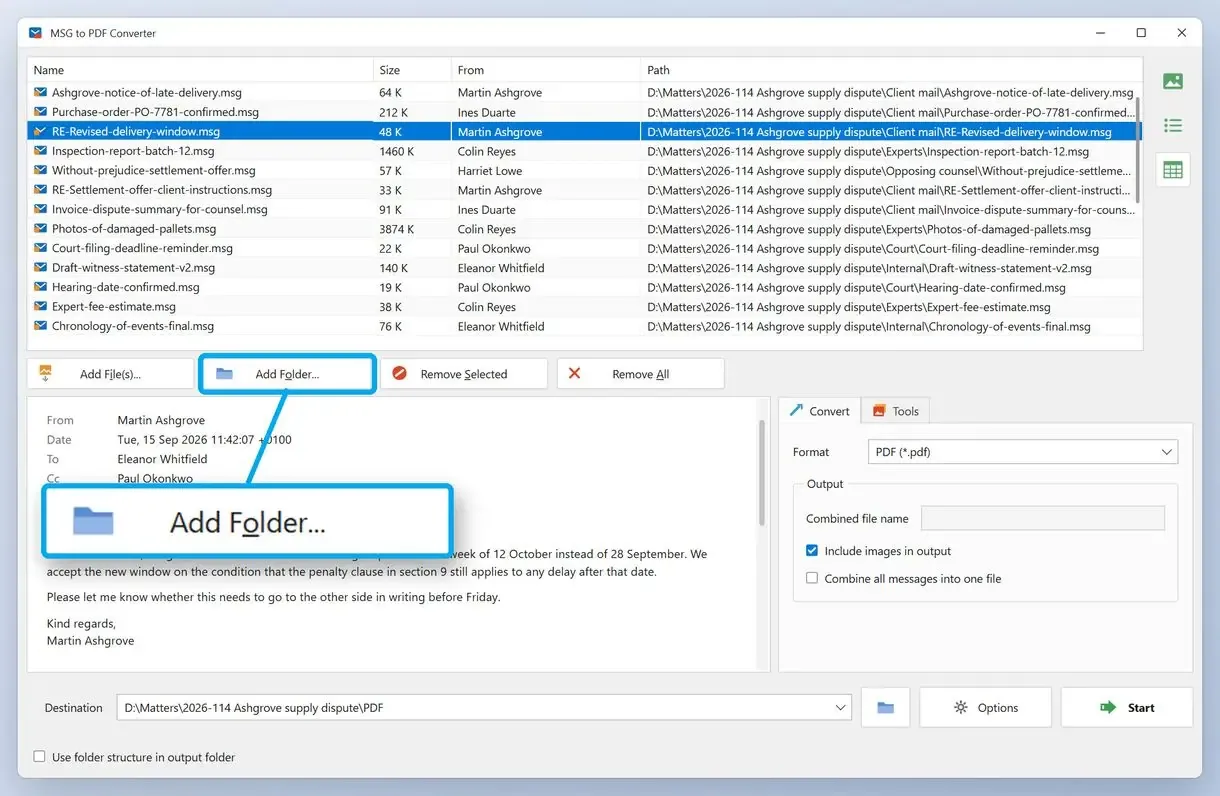
Add the folder with your .msg files
Click Add Files or drag the folder onto the window, then wait for all the files to load. Video guides recommend that you back up your original MSG files to a second folder first.
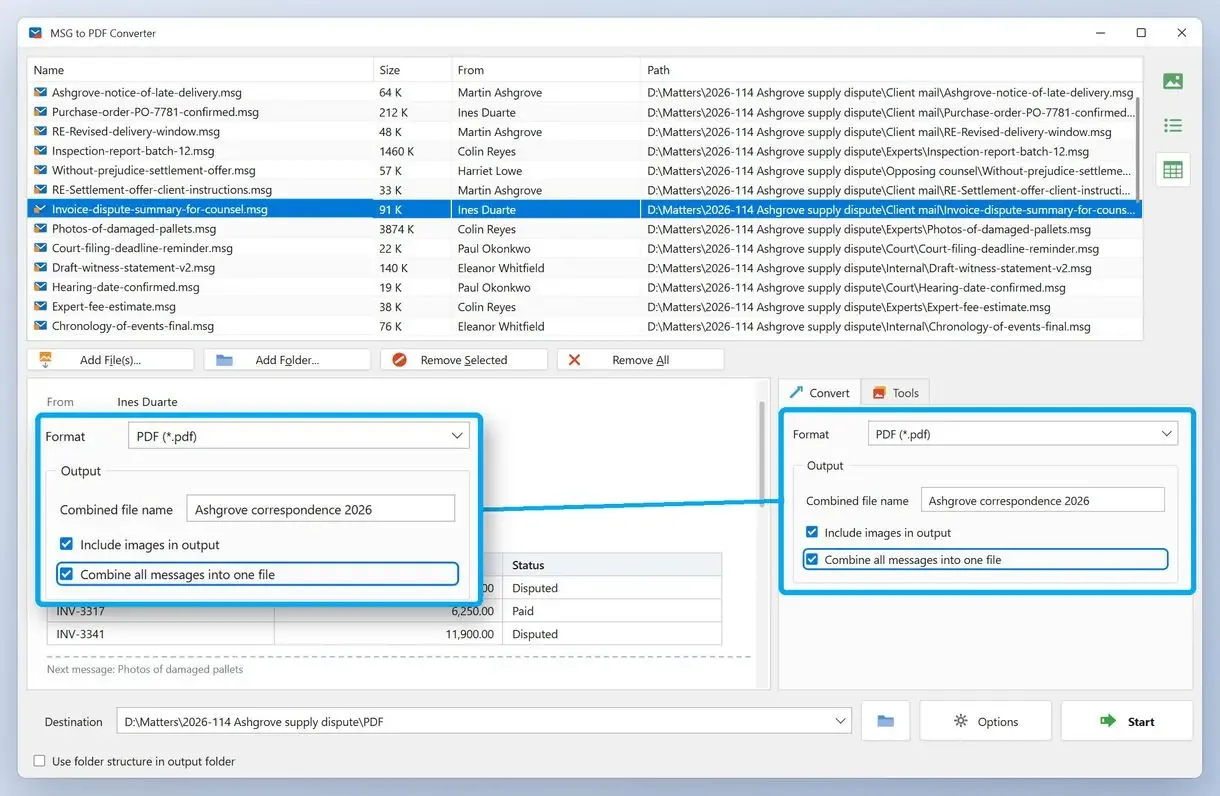
Choose PDF and the output mode
On the Convert tab, set the format to PDF. Choose an individual PDF for each email or one combined PDF that follows the list order.
Run the conversion and check the output folder
Start the conversion and open the output folder when it finishes. Compare the number of PDFs with the number of .msg files you added.
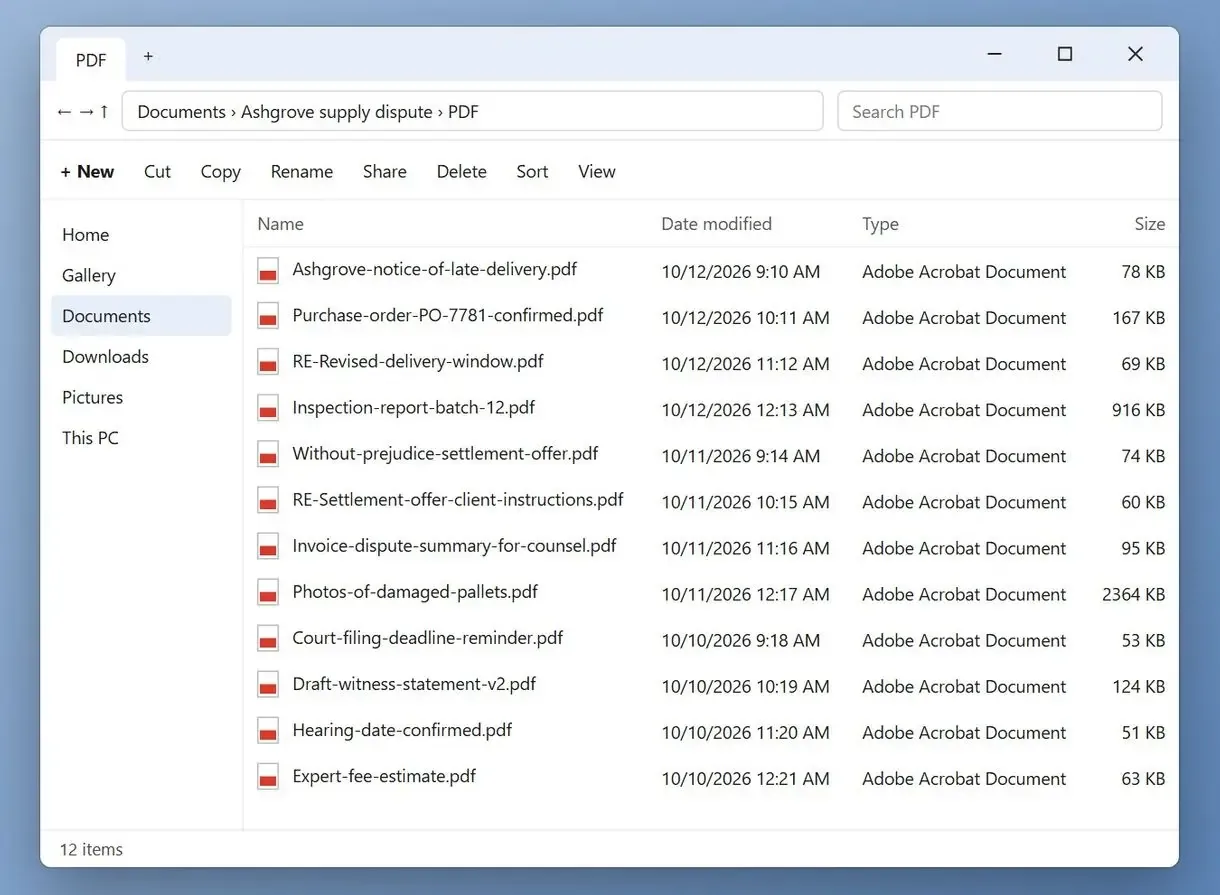
How to convert an MSG file to PDF in Outlook
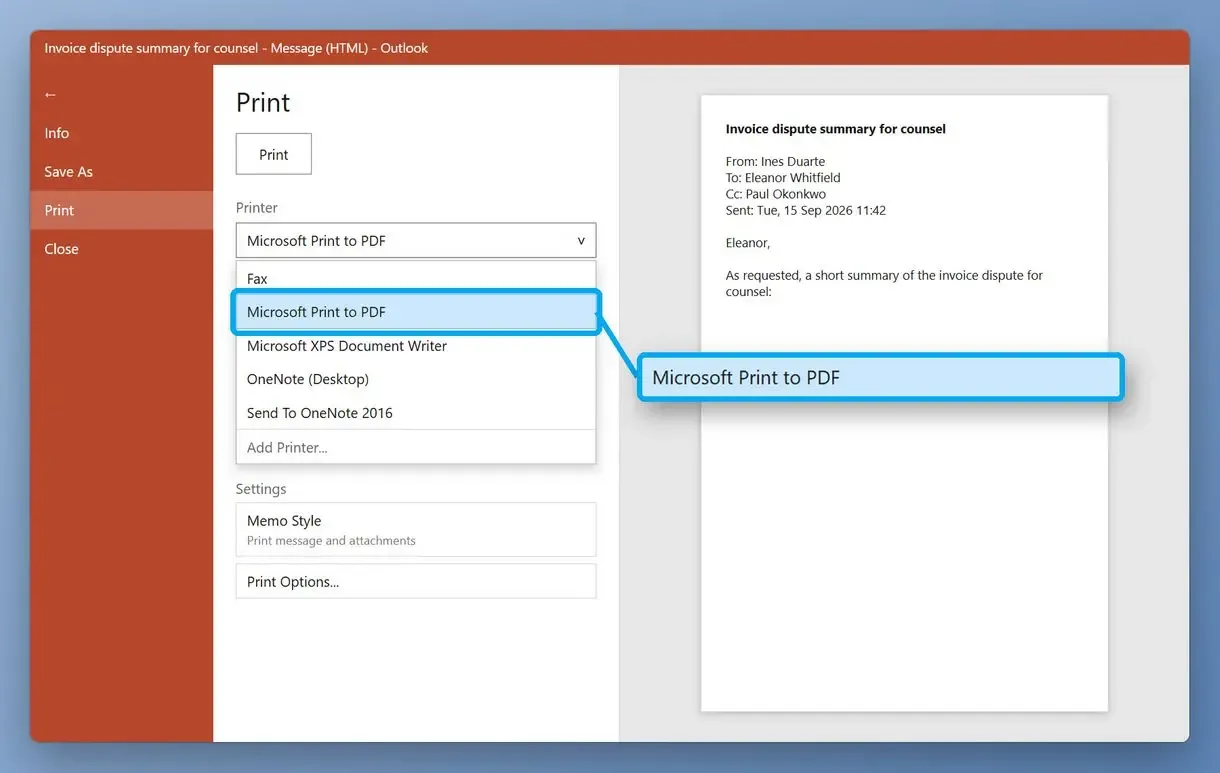
Double-click the .msg file to open it in classic Outlook, press Control + P and choose Microsoft Print to PDF as the printer. Windows 10 and 11 include that printer, so this route costs nothing if Outlook is already installed. Each save creates one PDF for one email, so this Outlook to PDF route works one message at a time.
Print to a file instead of printing to a physical printer. One video guide says the result preserves formatting relatively well, and inline pictures come through as they look on screen.
- Double-click the .msg file. It opens in its own Outlook message window.
- Open File > Print.
- In the printer list, pick Microsoft Print to PDF and click Print.
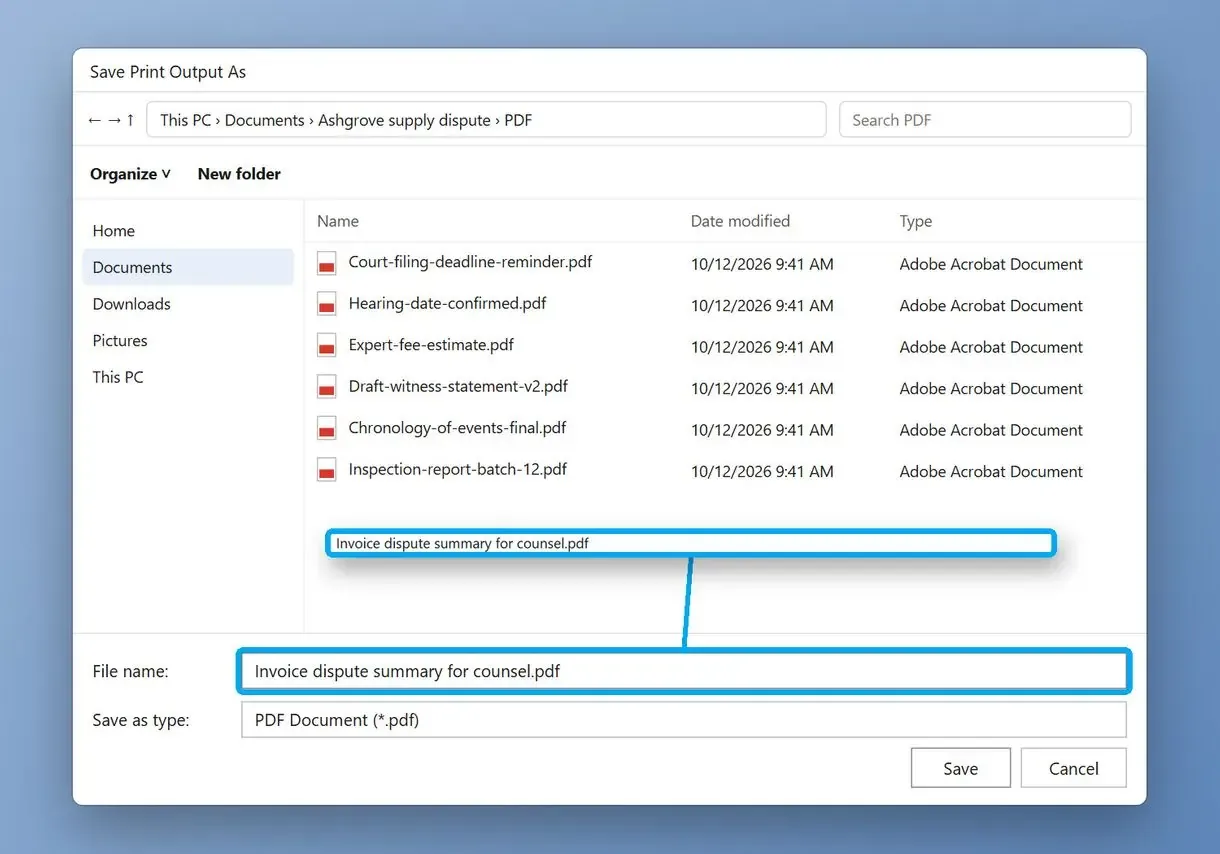
- In the save dialog, choose name and location for the PDF, then click Save.
Attachments stay out of the PDF, as the Carly guide to saving Outlook email as PDF also notes. Hyperlinks may stop being clickable. If the message is still in your mailbox, see our guide to save an Outlook email as PDF using the same print route.
Why won't Outlook let me save an email as PDF?
Classic Outlook's Save As offers Outlook message, HTML and text formats, but not PDF. A direct PDF button appears only when an add-in provides one, such as the PDFMaker add-in that comes with Adobe Acrobat.
Can you convert an MSG file to PDF without Outlook?
Yes. A desktop converter that reads the .msg format itself, or an online converter in the browser, can convert MSG files to PDF without Outlook. For more than a few files, the desktop route skips the upload for each file.
The .msg file is Microsoft's container for a single Outlook item. According to Microsoft's MS-OXMSG specification, the format also stores email messages, appointments, contacts and tasks. Someone without Outlook usually sees an .msg attachment as an unknown file and cannot open it.
A desktop converter such as MSG to PDF Converter parses the file itself, without Outlook. An online converter needs nothing installed: upload the .msg and download the PDF. Adobe Acrobat's email conversion runs through the PDFMaker add-in inside Outlook. Our roundup of each free MSG to PDF converter worth a look compares free and paid options side by side.
Is a free online MSG to PDF converter safe for work emails?
For a receipt or newsletter, usually yes. Work email is different: the file goes to the service's server, free plans cap upload size (Zamzar's free form showed 1MB in November 2026), and Zamzar says it stores free converted files for up to 24 hours.
An .msg file carries each email attachment inside. If you convert MSG to PDF online, one email with a scanned contract can exceed 1MB and fail to upload. Video walkthroughs of this task tell viewers to be cautious when using such websites. The same guides say to always check user reviews before you trust a service with anything sensitive, and they admit the quality of the conversion may vary from one site to the next.
Keep client and HR emails away from free upload converters. If the messages contain personal data, the upload hands that data to another company. Under the GDPR that company acts as a processor, and Article 28 of the GDPR expects a contract with it. Convert such mail on your own PC, where the files stay local and secure.
How to convert hundreds of MSG files to PDF and keep their names
To convert MSG to PDF in bulk, point a batch tool at the whole folder and check the file names in the output. Printing from Outlook means typing every file name by hand, and the Outlook-to-Acrobat route often names every PDF after the print style.
One office worker had several hundred .msg files dragged out of Outlook into a single Windows folder and needed each PDF under its original name. Printing them one by one is impractical at that size, and Outlook's print route has no folder mode.
To convert multiple MSG files with a batch converter, add the folder, choose one PDF per email, and run the queue without a dialog for each message. Before converting a whole archive, run three messages through the trial and check the names and how long threads break across pages. Our separate guide on how to batch convert MSG to PDF covers very large archives.
Why are all my PDFs named "Memo Style"?
Memo Style is Outlook's standard print style, and batch PDFs made through that route can take its name. One user who went the Outlook-to-Acrobat way got a folder of PDFs all named Memo Style and had to rename them one at a time. The suggested workaround uses a PDF portfolio and a script in the Acrobat console. A converter that works from the .msg files on disk never touches the print style.
Why does batch conversion stop after the first file or say "Not an email message"?
Check whether Acrobat's PDFMaker add-in is still enabled in Outlook, since the batch route depends on it. Then check what the failed files contain: one possible reason is that the .msg format also stores appointments, contacts and tasks, so open one failed file and see what it is.
One person ran a batch of more than 400 messages from Outlook and got a single file holding only the first email. The batch worked again after an add-in option was switched back on, though the user also admitted they may not have opened the right folder inside the PDF portfolio. In a folder of several hundred files, some never converted and the status read "Not an email message". Since the names had changed, there was no way to see which ones had failed.
After every batch, compare the counts. Sort the source and output folders by name, check that the numbers match, and keep a short list of files that did not convert. In MSG to PDF Converter, a per-email run writes one PDF for each email, so the counts should match one to one.
Are attachments included in the PDF?
Usually not as files. Printing to PDF from Outlook writes attachment names into the header and leaves the files out. If the recipient needs the files, save them next to the PDF in a folder with the same name.
Some online converters say attachments are converted and embedded into the final PDF. One user archiving mail through the Outlook-to-Acrobat route found that image attachments vanished from received emails while sent emails kept them, and other file types came through. Another compared the two PDF printers: Microsoft Print to PDF kept every graphic in the email but the links in it stopped working, and Save as Adobe PDF missed the inline graphics.
The ISO 32000-2 PDF standard defines embedded files and file attachment annotations. For long-term archives, check the format version: the PDF/A archival standard allows embedded files of any type only from part 3, PDF/A-3.
An email forwarded as an attachment is a .msg inside a .msg; save it out and convert it as a separate file.
Can you merge many MSG files into one PDF?
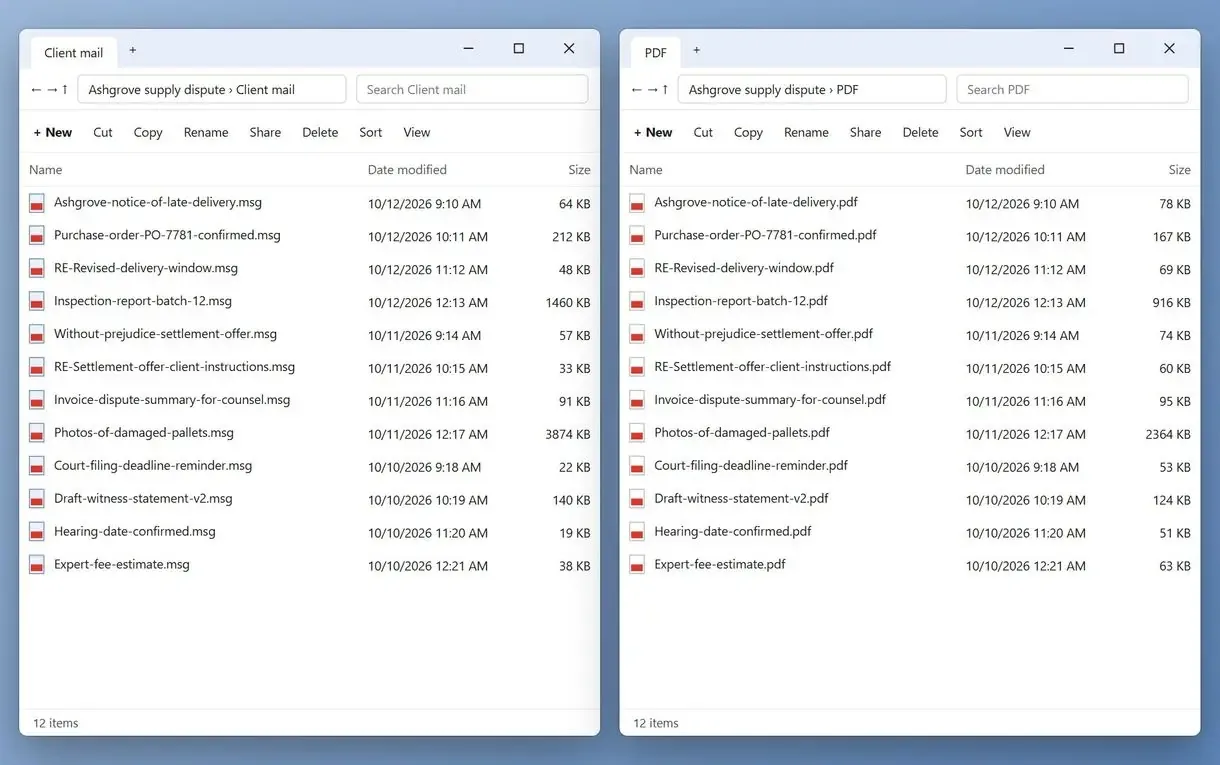
In classic Outlook, select several messages in a mail folder, choose Memo Style and print them to Microsoft Print to PDF to get one file with each email in sequence. New Outlook, Outlook on the web and Outlook for Mac do not support printing a multi-selection into one file. MSG to PDF Converter writes a whole queue into one combined PDF in list order.
Outlook's multi-select works on messages inside a mailbox, so .msg files on disk must be dragged back into an Outlook folder first. For a few dozen files, that is fine; several hundred can be slow and clutter your live mailbox.
A combined PDF suits a case file, audit or handover, with every message in order and searchable as a whole. In MSG to PDF Converter, sort the list by date or sender before you start.
For a very large archive, build several combined PDFs of about 200 emails each instead of one giant file. Smaller parts open faster and are easier for checking page by page.
Which method fits your files?
Decide by the number of files you need to convert and by how private the mail is. One harmless email can go through any of the three methods. A folder of hundreds is a job for a batch converter.
| Method | Best for | Needs Outlook | Where the mail goes | Many files at once | Attachments |
|---|---|---|---|---|---|
| MSG to PDF Converter | Folders of saved .msg files, archives, handovers | No, reads .msg files itself | Stays on your PC | Yes, one PDF per email or one combined PDF | Names listed in the PDF header |
| Outlook + Microsoft Print to PDF | One or a few emails | Yes, classic Outlook | Stays on your PC | Only emails selected in a mailbox folder | Names listed, files left out |
| Free online converter | One non-confidential file | No | Uploaded to the service (Zamzar keeps free files up to 24 hours) | Usually one file per upload | Depends on the service |
| Acrobat with PDFMaker in Outlook | Teams that already pay for Acrobat | Yes, plus the add-in | Stays on your PC | Yes, with reported naming and failure problems | Image attachments missing in some received emails |
- One email and classic Outlook on the PC: print it to Microsoft Print to PDF.
- One email, no Outlook, nothing private in it: an online converter, after a quick look at its storage policy.
- Dozens or hundreds of .msg files, or any client and staff mail: a batch tool on your PC, such as this site's MSG to PDF converter.
- One file for a case or an audit: a combined PDF in list order.
Different methods give slightly varying results in fonts and page breaks. Convert the same three sample emails each way, keep the originals in a backup folder, and choose by what you see on the page.
Sources
- Microsoft Outlook on Wikipedia - background on the Outlook client that saves messages as .msg files
- ISO 19005-1 (PDF/A-1) - the first part of the archival PDF standard
FAQ
How do I convert an email message to PDF?
To export an Outlook message to PDF, open the email in Outlook, print it and choose Microsoft Print to PDF as the printer, then save the file. For a folder of saved .msg files, a batch converter handles all of them in one run.
How can I open an MSG file without Outlook?
Convert it. A desktop converter reads the .msg format directly and saves it as PDF or HTML, which any browser or PDF reader opens. Online converters do the same after you upload the file.
Why won't Outlook let me save an email as a PDF?
Classic Outlook's Save As has no PDF format; it saves .msg, HTML or text. Print to Microsoft Print to PDF instead, or use the PDFMaker add-in if you already have Adobe Acrobat.
How do I convert an Outlook email thread to PDF?
In classic Outlook, select the messages of the thread in a mail folder, choose Memo Style and print them to Microsoft Print to PDF to get one file with the emails in sequence. For saved .msg files, a batch converter can write the whole queue into one combined PDF in list order.
How do I save an email as an MSG file in Outlook?
In classic Outlook, drag the message from the list into a folder in File Explorer, and Windows saves it as an .msg file. You can also use File > Save As and pick the Outlook Message Format.
Is there an MSG to PDF converter free to use?
Yes, for a few files. Microsoft Print to PDF in Windows is free if you have classic Outlook, and online converters have free plans with size caps. Batches of hundreds usually call for a paid desktop tool.
Can Adobe Acrobat turn MSG files into PDF?
Yes, through the PDFMaker add-in that Acrobat installs in Outlook. It needs both Acrobat and Outlook, and users report batches that stop after the first file or produce PDFs all named Memo Style.
Do links and inline images survive Print to PDF?
Inline images usually do, because Microsoft Print to PDF keeps pictures in the message body. Clickable links are the weak point and can turn into plain text. Check one important email before you convert a whole set.
What are the limits of the MSG to PDF Converter trial?
The trial converts 3 emails a day, and the count resets at midnight. That is enough to test the software before purchasing, and to see how your own messages look as PDF. A license removes the daily limit.
Convert your saved Outlook emails to PDF on Windows.