Guide
Best Free MSG to PDF Converter: 7 Options Compared
Updated SoftOrbits
Quick answer:
- A few emails, nothing to install: BentoPDF converts .msg files in the browser for free; the vendor says files stay on your device, a claim we could not verify
- Outlook already on the PC: open the .msg, choose File > Print and pick Microsoft Print to PDF - free, one message at a time
- A folder or work archive with searchable text: use a desktop tool; most free versions are demos (50 emails, 1MB caps, 30-day trials), see the table
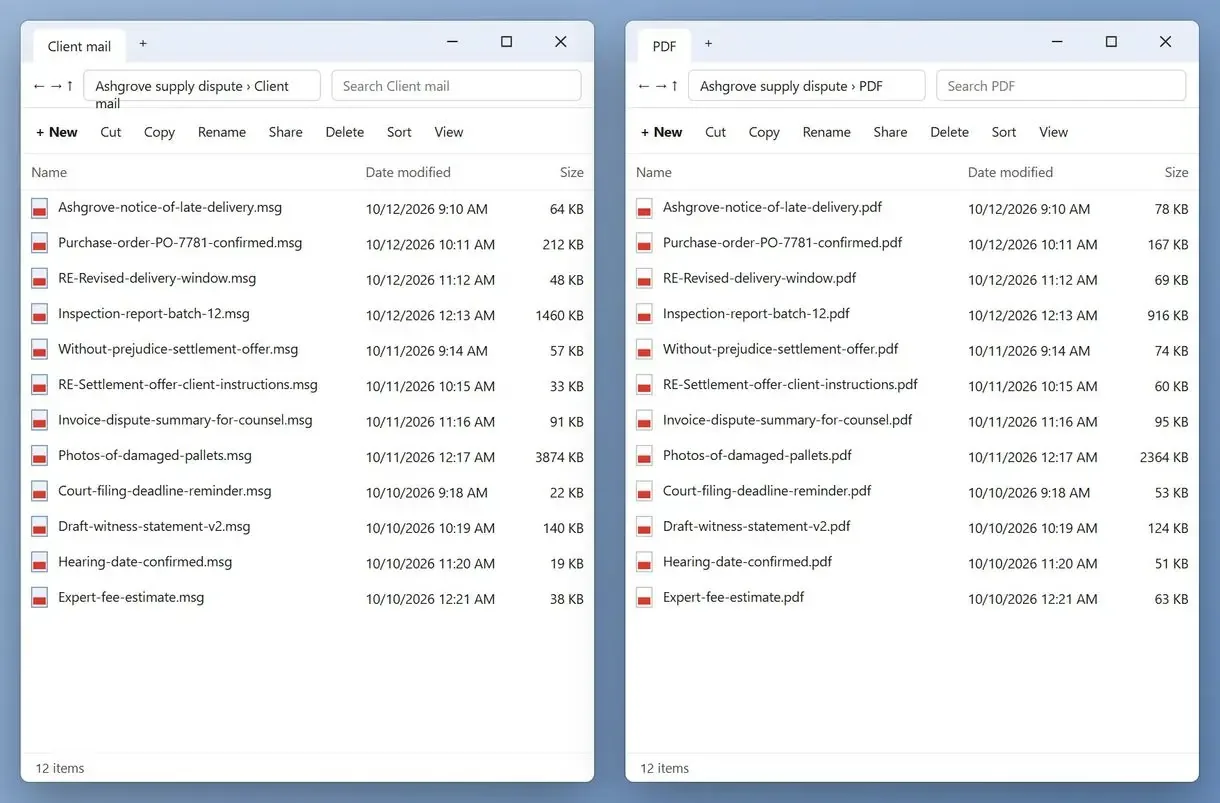
Many lists call desktop demos free. Look closer: free access may cover 50 emails, cap files at 1MB or last 30 days. Tools that cost nothing either upload your mail or run in a browser on a privacy claim we could not verify. We ranked seven options by where your emails go and what the free version converts. A PDF is easy to share and will open on any device.
We make MSG to PDF Converter, ranked #1 here for batch work on your PC. Its limits are noted below.
In this guide
- MSG to PDF Converter ranks first for batch work on your PC
- Free coverage ranges from 50-email demos to 1MB caps and trials
- When an online converter is safe for work email
- Choose by job: one email, a folder or emails kept for a legal case
MSG to PDF converters compared at a glance
The table compares where each tool sends email and what its free version covers. "Main catch" is its first limit.
| Tool | Type | Where your emails go | What free covers | Main catch | Best for |
|---|---|---|---|---|---|
| MSG to PDF Converter | Windows desktop | Stay on your PC | Trial with a limited number of emails, then paid | Attachments listed by name, not embedded | A folder of .msg files, offline |
| Outlook Print to PDF | Built into Outlook | Stay on your PC | Free if Outlook is installed | One message at a time, a name typed for each | One or two emails |
| CoolUtils Total Mail Converter | Windows desktop | Stay on your PC | 30-day trial | Paid after the trial | Batches that need Bates numbers |
| BentoPDF Email to PDF | Browser | Vendor says files stay local | Free | One page size per batch, no external images | EML and MSG in a browser |
| Aspose.Email online | Online service | Uploaded, download link lives 24 hours | Limits depend on the plan | Binary attachments not embedded | A batch returned as a ZIP |
| Zamzar | Online service | Uploaded, free files kept up to 24 hours | Free up to 1MB | 1MB file cap | One small, non-sensitive email |
| Outlook Freeware MSG to PDF | Windows utility | Stay on your PC | Limited free version | Outlook listed in system requirements | A free start for Outlook users |
How we picked and ranked these converters
Privacy came first. Tools that keep messages on your PC or in your browser rank above upload services. Full free access ranks above a short demo with the same features.
An .msg file is one Outlook item saved to disk. Its structure is public in Microsoft's MS-OXMSG file format specification, so a converter can read it without Outlook. We scored each option on:
- Where your emails go: your PC, your browser tab or someone else's server
- What the free version converts in practice
- Batch handling, including whether many emails can be merged into a single file
- What happens to attachments and file names
- Whether Outlook has to be installed
A reader under a popular how-to called half a dozen vendors' near-identical converter answers spam. We left out tools whose only public footprint is their sales page and forum replies; search results are mostly similar vendor landing pages.
We build MSG to PDF Converter and know its behavior from the inside. For the other six tools, we read product pages, help files and FAQs on 10 November 2026. We did not buy paid tiers or time conversions, so this page has no speed numbers. Each review is our judgment from those sources.
The 7 best MSG to PDF converters with a free option, reviewed
1. MSG to PDF Converter - best for a folder of emails that must stay on your PC
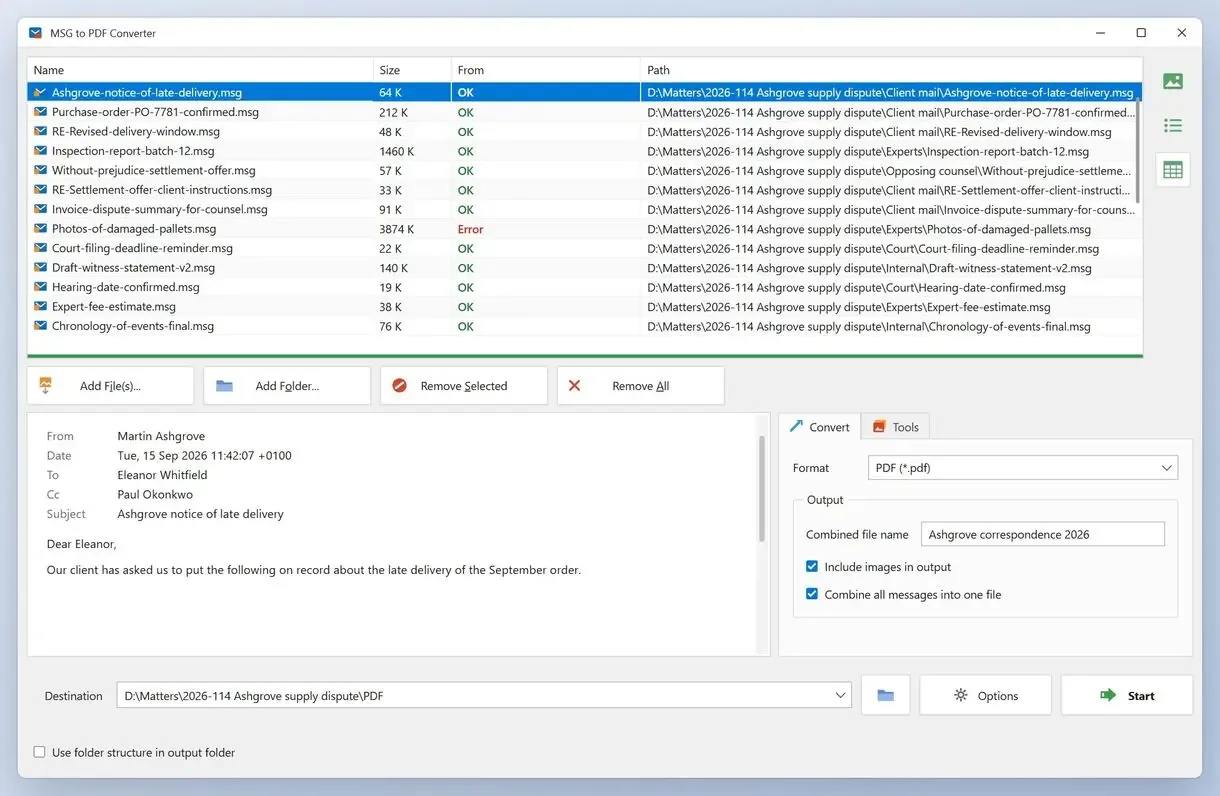
For a batch of saved messages, MSG to PDF Converter reads .msg files from disk on Windows 10 or 11. As desktop MSG to PDF converter software, it needs no Outlook and uploads nothing. Navigate to the desired location, add the folder, wait for all the files to show up in the list, then choose one PDF per email or one combined PDF. Each PDF shows the From, Date, To and Subject lines above the body, and the text stays selectable; you can switch off picture loading. The program also detects and converts files with an .msg extension that contain a plain internet email. The paid full version has a trial that converts a limited number of emails, enough to check layout on your own messages.
Pros:
- Converts a whole folder of .msg files on your PC with no upload
- Works with no Outlook installed
- Saves one PDF per email or one combined PDF
- Keeps the text in the PDF selectable and searchable
Cons:
- Converts a limited number of emails in the trial before a license is needed
- Lists attachments by name instead of embedding the files
- Runs on Windows only and reads .msg files only
Our take: We make this one, so weigh our view with that in mind. We would hand it to someone with a USB stick of client emails. It is the wrong pick if attachment files must sit inside the PDF.
Verdict: Choose it for a folder of .msg files converted on your PC if a paid license after the trial is acceptable.
2. Microsoft Outlook Print to PDF - best for one or two messages
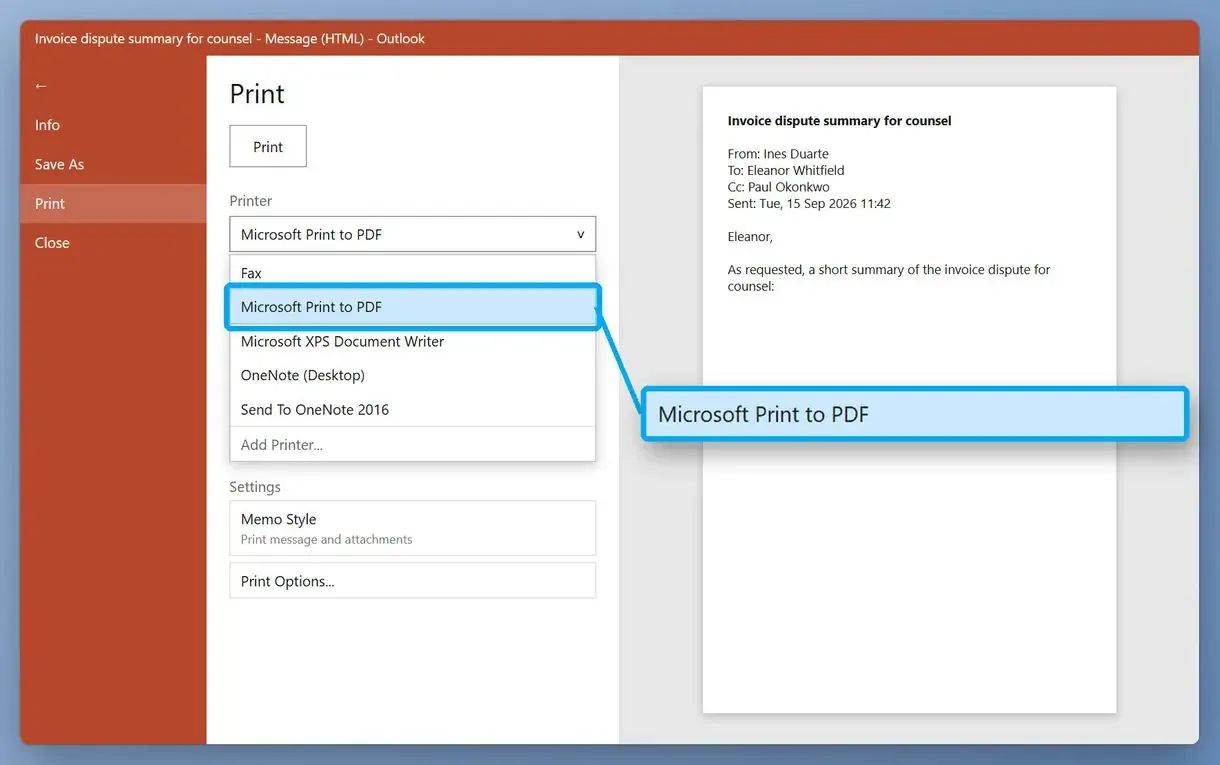
If Outlook is already on the PC, the simplest method costs nothing: open the .msg, choose File > Print and pick Microsoft Print to PDF. Volume is where it breaks. One Outlook 365 user with 90 saved messages worked out that printing them one at a time would take a few hours, at three to four minutes per message. Processing each message individually also means typing a file name in the save dialog every time.
Pros:
- Free when Outlook is already installed
- Keeps the email on your PC
- Uses the PDF printer built into Windows 10 and 11
Cons:
- Handles one message at a time
- Asks for a file name for every PDF
- Turns attachments into a list of file names at best
- Fails on a Mac, where Outlook does not open .msg files
Our take: At three to four minutes each, a folder of two hundred could take a working day or two in the save dialog.
Verdict: Fine for the odd email. Past a dozen it gets slow.
3. CoolUtils Total Mail Converter - best for batch jobs that need Bates numbers
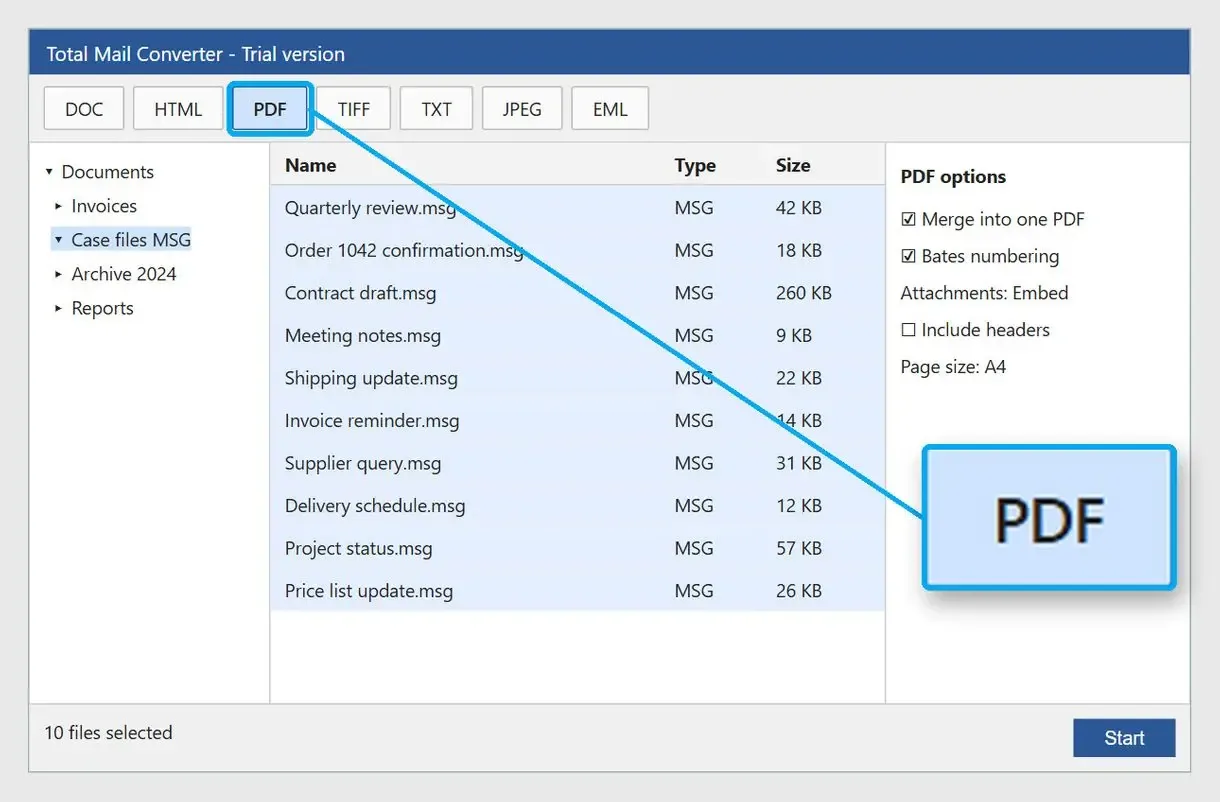
Total Mail Converter is a Windows desktop tool. Its page says it converts MSG to PDF offline, without Outlook or an upload. It can merge messages into one PDF, stamp Bates numbers, run from a command line, and embed attachments, save them to a subfolder or skip them. The free option is a 30-day trial. CoolUtils also publishes a "Top 4" review of MSG to PDF tools that ranks its own product first; that page is marketing.
Pros:
- Converts folders offline with no Outlook
- Merges emails into a single PDF
- Adds Bates numbering for legal document sets
- Can be scripted for repeat jobs
Cons:
- Turns paid after the 30-day trial
- Has almost no independent user reviews in public threads
- Packs more options than a one-off job needs
Our take: We did not run it. Treat the 30 days as the real test and try a messy folder early.
Verdict: Pick it when Bates numbers or scripted runs matter more than price.
4. BentoPDF Email to PDF - best free browser tool for EML and MSG
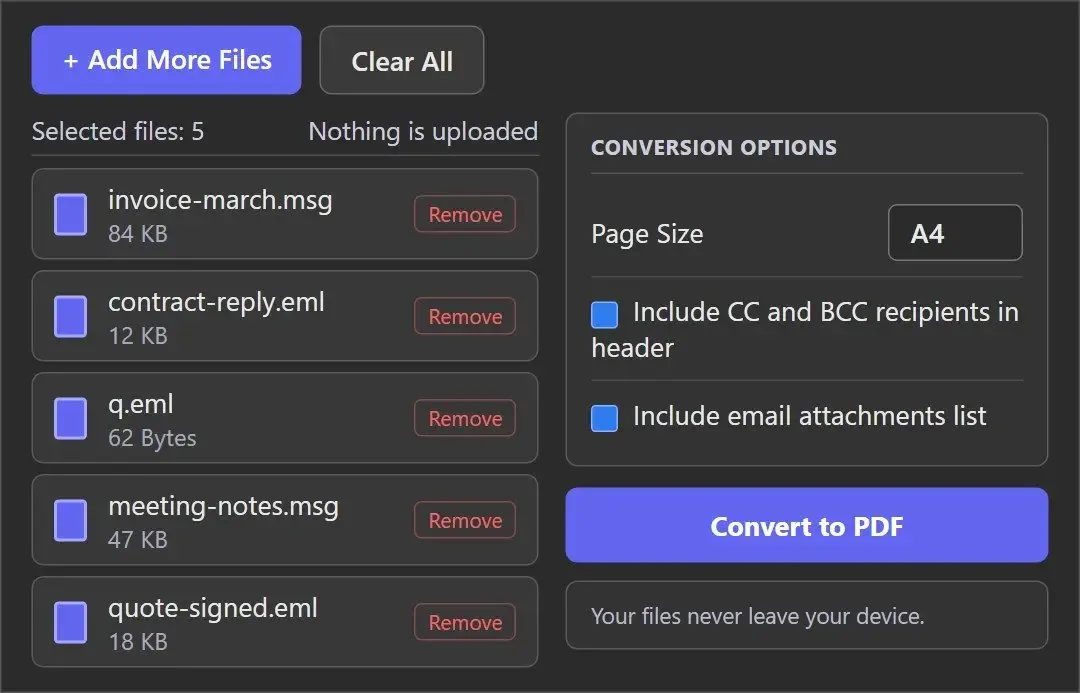
BentoPDF converts .msg and .eml files to PDF in the browser, with A4, Letter or Legal page sizes. Its page claims the files stay on your device. We did not verify that claim, though you can check it yourself (see the privacy section below). Reviewing the wider BentoPDF toolkit, SYNACK Time said: "Very simple, very easy, not going to take any time at all."
Pros:
- Free and runs in any modern browser
- Reads Outlook .msg as well as .eml from other mail apps
- Offers A4, Letter and Legal page sizes
Cons:
- Applies one page size to the whole batch
- Skips external images referenced in the email
- Rests its privacy promise on a claim we could not verify
Our take: Its FAQ covers inline images, clickable links and file names. Attachments appear only as a list of names at the bottom of the PDF.
Verdict: A free option for a few messages on any computer with a modern browser, Mac included.
5. Aspose.Email online - best for turning a batch into a ZIP of PDFs
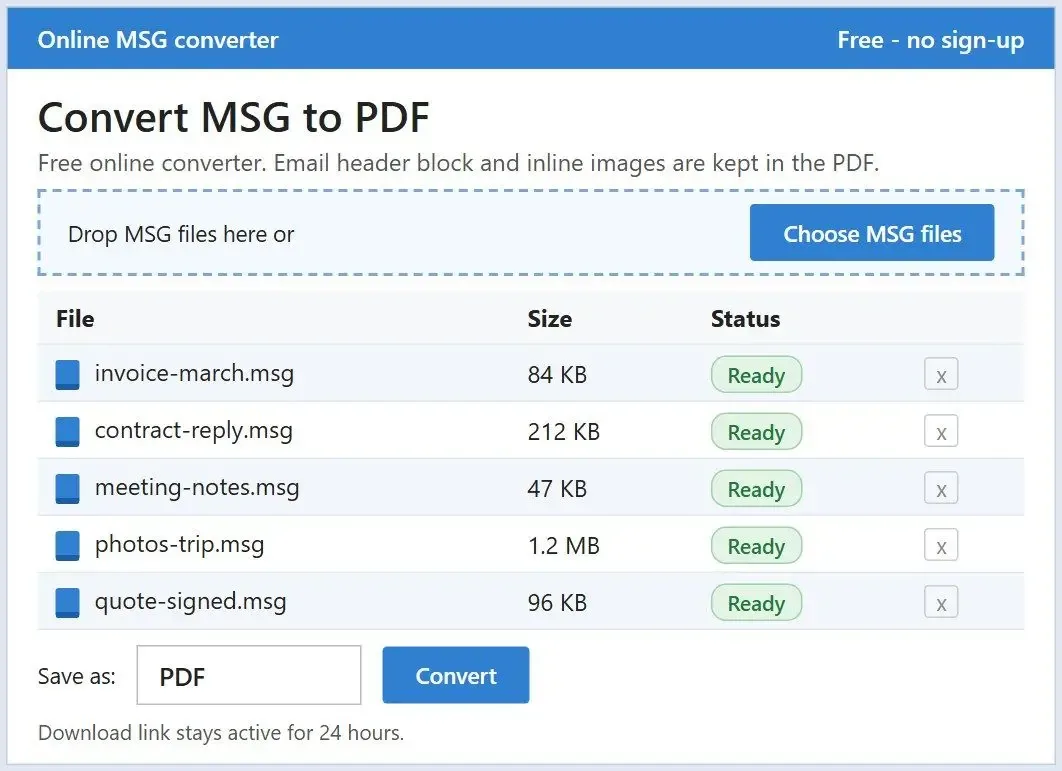
Aspose's web app converts several MSG files on Aspose servers and returns a ZIP. The PDF includes the email header and inline images, with searchable text. Its FAQ says attachment files inside the message are left out. The download link lasts 24 hours. The page does not list size limits, which depend on the plan.
Pros:
- Batches several files and returns one ZIP
- Keeps the header and inline images
- Produces PDFs with searchable text
Cons:
- Uploads your emails to Aspose servers
- Leaves binary attachments out of the PDF
- Keeps the download link live for only 24 hours
Our take: The FAQ is honest. A client's mailbox still does not belong there.
Verdict: Fine for newsletters and order confirmations in bulk, not confidential mail.
6. Zamzar - best for one small email you do not mind uploading
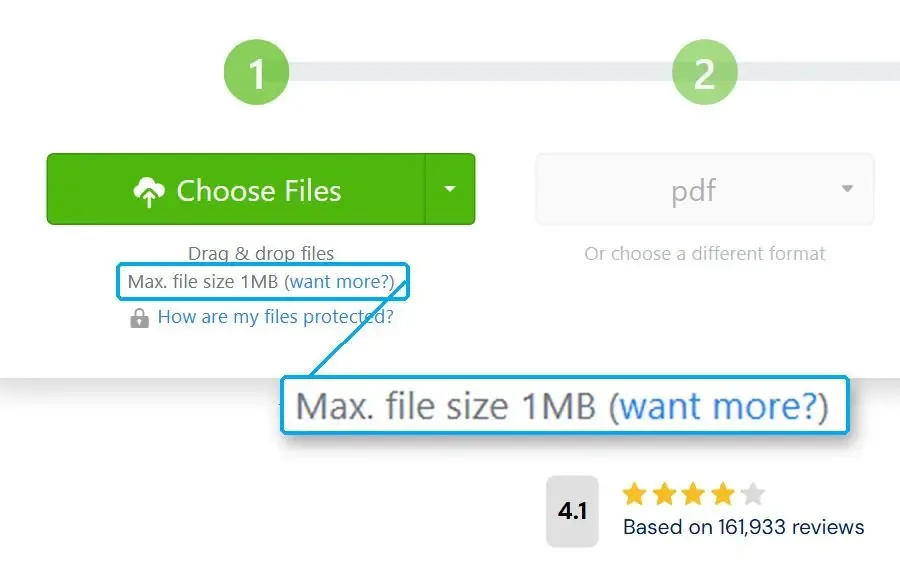
Zamzar is an online MSG to PDF converter that works without Outlook or an install. The free tier caps files at 1MB and keeps converted files on its servers for up to 24 hours. An independent how-to author considers an online tool like this fine for a small batch when privacy is not the worry. Reviewing the free tier, Altima News called it a trial run: "This provides an opportunity to determine if the service will work."
Pros:
- Needs no install and no Outlook
- Converts a small file in a browser tab
- Handles many other file formats besides MSG
Cons:
- Caps free files at 1MB
- Uploads the email to Zamzar's servers
- Keeps free files for up to 24 hours
Our take: Fine for a newsletter you want as a PDF. We would not put an HR complaint through it.
Verdict: Use it for one small, non-sensitive message when nothing can be installed.
7. Outlook Freeware MSG to PDF - best for a free start inside an Outlook setup
This Windows utility converts MSG to PDF without starting Outlook, though Outlook 2007 to 365 appears in its system requirements. The free version has limits that its page does not spell out. Batch work across unlimited folders is in the paid Professional Edition.
Pros:
- Offers a free version to start with
- Converts without opening Outlook
- Scales to many folders in the Professional Edition
Cons:
- Lists Outlook in its system requirements
- Leaves the free version's limits undefined
- Moves unlimited batch work to a paid edition
Our take: Test it on ten messages before planning around the free version.
Verdict: Worth a try if Outlook is installed anyway and the job is small.
What does "free" really mean for an MSG to PDF converter?
Often, a sample. Several desktop converters stop at 50 emails, Zamzar at 1MB per file, and our trial at a limited number of emails. Outlook Print to PDF and BentoPDF are free in full, each with a trade-off.
Search results promise free conversion, but the fine print can make it a demo. Desktop vendors count 50 emails per folder; one online service limits by file size.
A 50-email demo is enough to check layout, not to finish a real folder. MSG to PDF Converter works the same way. The free routes that never stop are Outlook printing and BentoPDF. Each trades something for the price, whether that is speed or a privacy claim you have to take on trust.
Is it safe to use a free online MSG to PDF converter with work email?
An online converter gets a copy of the message on its server. For client or HR mail, use a desktop tool or a browser tool that processes the file locally.
Zamzar keeps free converted files for up to 24 hours; Aspose keeps its download link alive for the same period. CoolUtils, which runs an online converter, tells readers to review the selected service's privacy and retention policy before uploading. A developer of on-device email export argues that server-side processing does not fit some compliance regimes however well it is built. Lawyers and healthcare staff often sign data processing agreements that rule out such uploads.
Online converter
- The .msg travels to a third-party server
- Free files can stay there for up to 24 hours
- You rely on the service's retention policy
Desktop or local browser tool
- The email is read on your PC or in your browser tab
- Nothing waits on a server to be deleted
- You can watch the network traffic yourself
"Your files never leave your device" is a claim you can test. Open the browser's developer tools with F12, switch to the Network tab, convert a test email and watch for a request that carries the file. If you see one, treat the tool as an online converter.
Which converters keep the attachments?
Few do it fully. Aspose says it leaves attachment files out, our current release lists attachment names in the PDF, and desktop tools such as Total Mail Converter offer embed or save-to-folder options.
Vendors promise "maintaining original formatting" and attachments, so test those claims on your messages. A law-firm user making one case PDF found the Acrobat portfolio workaround worked only for messages without attachments. Outlook printing turns attachments into a line of file names at best.
Check where attachment files end up on a trial run: inside the PDF, in a folder beside it, or represented only by names. Embedded files make one self-contained document. A separate folder keeps the PDF small but splits the evidence across two places.
After you turn MSG files to PDF, keep the original .msg files. The PDF is a readable copy; the .msg still holds the attachments as real files and keeps the full message properties.
How do you batch convert multiple MSG files to PDF and keep the file names?
Use a desktop batch converter and check output names on a short trial run. Outlook and Acrobat routes tend to lose names and skip messages without saying which.
At this scale, converting by hand can be time-consuming. One Acrobat user mass-converted a folder and got every PDF named Memo Style.pdf, then renamed them one by one. Another found the Outlook-to-Acrobat batch quietly skipped messages, showing only "Not an email message." A third wished .msg files worked like Word files in a batch, with a destination folder and the same file names.
A desktop tool reads files directly, skipping the Outlook import step. Some files that fail elsewhere are plain internet emails saved with an .msg extension; MSG to PDF Converter detects and converts them. Before a big run, check that the target drive has sufficient storage space and choose a tool that reports failed items at the end instead of silently dropping them.
How do you save one Outlook email as a PDF by hand?
Open the message in Outlook, choose File > Print, select Microsoft Print to PDF and save. It is free, one message at a time.
Outlook's Save As list has no PDF entry for messages, so to save an email message to PDF, use the print dialog:
- Double-click the .msg file to open it in Outlook
- Choose File > Print
- Select Microsoft Print to PDF as the printer and click Print
- Type a file name and pick a folder in the save dialog
For screenshots of each click, see how to save an Outlook email as a PDF. Adobe Acrobat's multiple-file creation does not support .msg, and dragging MSG files into the Combine Files window does not work. Messages must go into an Outlook folder first.
Can you convert MSG to PDF without Outlook installed?
Yes. Desktop converters and browser tools read the .msg format themselves; Outlook is needed only for the Print to PDF route.
This matters on a Mac. A user with hundreds of work messages found Outlook for Mac would not open the .msg files, so the fallback was uploading them to Outlook on the web and printing one by one. MSG to PDF Converter and Total Mail Converter run only on Windows. On a Mac, use a browser converter: BentoPDF runs in any modern browser, Mac included.
Outlook-free conversion is standard for the desktop tools here, except Outlook Freeware, which lists Outlook in its requirements.
Which MSG to PDF converter should you pick?
Start with a local tool for sensitive mail. Use a free browser converter for a few messages, and server-based converters for newsletters and receipts.
Start here
- Legal, audit or HR folders: MSG to PDF Converter on Windows, or Total Mail Converter when you need Bates numbers. Mail kept for legal proceedings usually needs selectable text
- One or two emails with Outlook installed: Outlook Print to PDF
Consider
- A few emails on a Mac or a locked-down PC: BentoPDF
- Accessible document backups of a personal mailbox: the desktop tool, which keeps the text searchable
- An Outlook shop that wants a free start: Outlook Freeware, tested on ten messages first
Avoid for work mail
- Zamzar and Aspose online for anything confidential
Run five messages through your chosen tool and check the results of your conversion before the full folder. If the emails are still inside Outlook rather than saved as files, export them from Outlook first.
Also considered
These tools appeared in search results and threads but are not on the list:
- Aryson, Cigati and SysInfo MSG converters stop their free demos at 50 emails per folder, and their feature lists read almost the same
- CoolUtils online MSG to PDF sends files to a third-party service
- MacSonik MSG Converter runs on Mac and Windows, but its listing does not say how many emails the demo version converts
- assistmyteam MSG to PDF Converter offers a 30-day trial and local processing, with no price shown openly on the page
- msglens.app is a browser tool promoted by its own author in Outlook threads. It handles up to 50 files at a time, with no independent reviews we could find
- Adobe Acrobat has no .msg support in its multiple-file creation, so it still needs Outlook in the loop
- iLovePDF and other general PDF sites get searched for MSG support, so check the supported formats list first
Sources
- Aspose.Email: Outlook email to PDF (FAQ on attachments not embedded and the 24-hour download link)
- CoolUtils: Convert MSG to PDF (offline and online options, 30-day trial, upload warning)
- BentoPDF: Email to PDF (local processing claim and page size options)
- Outlook Freeware: MSG to PDF (free and Professional Edition limits, system requirements)
FAQ
Why can't I save an email as a PDF in Outlook?
Outlook's Save As list has no PDF type for messages. Print to Microsoft Print to PDF, or use a converter that reads saved .msg files.
How can I convert an Outlook email to a PDF online?
Save the message as an .msg file and load it into a browser converter. BentoPDF says it works on your device; Zamzar and Aspose upload the file.
How do I export MSG files from Outlook?
Drag a message from Outlook into a File Explorer folder, or open it and choose File > Save As with the Outlook Message Format type. Each message becomes one .msg file.
How do I convert MSG to PDF and keep the original file name?
Use a desktop batch converter and check names on a few trial files. The Outlook and Acrobat route often names every output Memo Style.pdf, so you must rename them by hand.
Why are some messages skipped as "Not an email message"?
The Outlook-to-Acrobat batch shows that status for items it cannot read as mail and does not list them. Some are plain internet emails saved as .msg; a direct .msg converter usually handles them.
Can I convert MSG to PDF on a Mac?
Not with Outlook for Mac, which does not open .msg files, or Windows-only desktop tools. A browser converter that processes files locally is the practical route.
Can I convert MSG files for an audit without uploading them?
Yes. A desktop converter or local browser tool keeps messages on your machine. Confirm it in the Network tab and keep the .msg files with the PDFs.
Is the free version of MSG to PDF Converter really free?
The desktop trial is free but converts a limited number of emails; the full version is paid.
Convert your saved Outlook emails to PDF on Windows.